
What you receive
One-time listing creation by Sophi Garcia, one revision, a final review and the first 3 months of Enhanced membership for one care location.

Your photos. Your story.
A clearer picture of your care setting.
For U.S. care providers · Complete Setup
Show families your care. Leave the writing and setup to us.
Send your real facility photos, business documents and notes about your care. Sophi Garcia creates and personally reviews your Enhanced Listing, turning the facts you supply into a page families can use to explore your setting before they contact you.
$299 total to begin
One-time creation + first 3 months, for one care location.
Then $29/month from month 4, until canceled. Cancel future renewals anytime. Applicable tax is shown before payment.
Pay securely first. Then create or sign in to your provider account to build and preview privately. Facility verification is required before publication.
What this package includes
Choose Complete Setup when you have the business materials and photos, and want the writing, organization and setup handled for you.
One-time listing creation by Sophi Garcia, one revision, a final review and the first 3 months of Enhanced membership for one care location.
You supply current facility photos, business documents and factual notes. Sophi Garcia creates and personally reviews your listing, with review within 48 hours of upload submission, as included in Complete Setup.
One revision and a final review are included. You review the identified preview and expressly approve the public words and media before publication. Correcting an error introduced by BestCareMatch does not use up your revision.
Your photos, services and care details
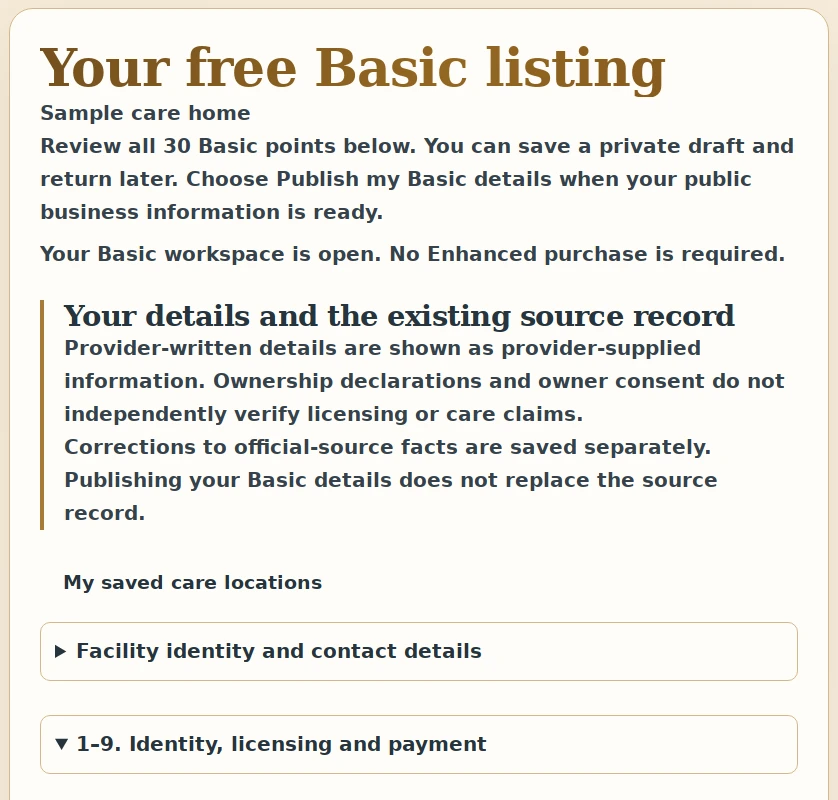
Your free Basic listing covers 30 information points. Enhanced adds the presentation and workspace features below. All three paid setup options include these same 13 features.
The feature photos below are illustrative scenes, not photographs of a listed facility.
Choose a section, add what is ready, and return when you can. Optional questions can wait. Your paid membership continues while you prepare your profile.
 01
Show your actual setting.
Add real facility photos to your gallery, subject to file-size and gallery storage limits, and include helpful captions. Keep resident information and identifying resident images out of your materials.
 02
Invite a closer look.
Share an existing video or walkthrough link. New filming and video production are separate services.
 03
Put your care approach into words.
Introduce your setting and what an ordinary day feels like. Use current business facts and words you have permission to share.
 04
Make the support you offer clearer.
Explain services, who provides them, assessment limits and how families can discuss costs. Relevant follow-up questions open as needed.
 05
Make meaningful details easier to find.
Describe specific care arrangements and strengths you can substantiate. Unanswered details stay unconfirmed.
 06
Help families picture everyday life.
Describe shared spaces, meals, routines, activities and access features that are actually available.
 07
Give a clearer sense of the space.
Describe room options and relevant features, with any conditions a family should discuss with you.
 08
Help families know what to ask next.
Share the availability information you choose to publish. Families should confirm current openings directly with you.
 09
Help conversations begin comfortably.
State the languages available and any arrangements or limitations families should confirm.
 10
Make the next conversation easier.
Provide approved business contact details so families can reach the right person.
Bring your own identity to the page.
Supply details for an existing logo you may use. Complete customers can include the original in their account uploads. Logo design is separate.
Save, return and continue.
Keep answers and photos with your provider account. Download a personal backup and return to any section. Saving a draft does not publish it.
Review what families will see.
Preview your public information and authorize the version you want submitted for publication. Private notes remain separate.
Show families your services, rooms and care arrangements before their first call.
Your account, your saved work
Your account keeps your care-location details, saved work and membership together. Payment opens your Enhanced workspace so you can prepare your listing privately.
DIY uses the guided editor. Complete customers also use their account to send business materials and follow their setup work.
Your control over publication
Your paid workspace opens before facility verification. Add your information, save your work and preview the profile privately. Nothing goes live until verification is approved.
Provide the facility name, licensed owner or operator, license or certification details, and business contacts. The questions ask for contact information shown on the licensing record, such as DSHS in Washington.
An owner confirms an ownership declaration. A manager or other representative must record the owner’s electronic consent or upload signed consent before publication is approved.
Drafts and supporting materials stay separate from your public profile. Review the identified public version and expressly approve the information and media you want published.
Payment does not verify a facility or authorize public changes. Ownership or signed owner consent, licensing details and required disclosures are reviewed before publication. Your membership starts with payment and continues during preparation and review.
Before you order
One-time listing creation by Sophi Garcia, one revision, a final review and the first 3 months of Enhanced membership for one care location. New photography, video or slideshow production, extra locations and ongoing profile management require a separate agreement. Any separately agreed work is quoted before it is undertaken.
No. The underlying topic framework is organized into guided sections with relevant follow-ups. Your Basic workspace has 30 information points; the Enhanced offer has 13 features. Optional information can be added later, and unanswered details remain unconfirmed.
The paid period begins through your completed checkout, not when your profile is finished. Your receipt and billing account show the membership and renewal dates. After the first 3 months, membership renews at $29/month until canceled. You can cancel future renewals through Manage billing.
Use your existing provider account for an upgrade. Confirm the upgrade price before ordering so you are not charged for membership twice. An upgrade does not restart your existing membership.
No. Enhanced provides more room to present your business. It is not a quality rating, government approval, or a guarantee of inquiries, admissions or placement. Families should confirm services, licensing, availability and costs directly.
Current business facts, real photos you own or may use, your existing listing link if available, and the appropriate ownership declaration or signed owner consent. Send business materials only. Do not include resident records, private health information or identifying resident images.
Complete Setup · Enhanced Provider Listing
$299 total to begin. One-time creation + first 3 months. Then $29/month from month 4, until canceled. Applicable tax is shown before payment.
One care location. A U.S. directory, viewable by families worldwide.
$299 total includes one-time profile creation and the first 3 months of Enhanced membership. Then $29/month from month 4. Cancel future renewals anytime. Applicable tax is shown before payment.
Sign in or create your provider account, then pay. Prepare and preview privately; verification is required before publication.
81,037 live listings
Last directory update: